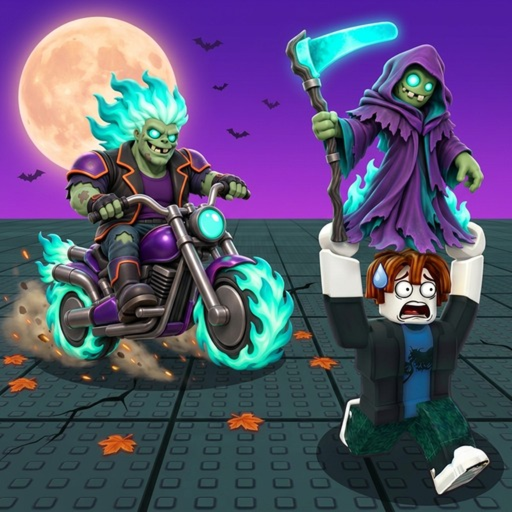
RobloxSimulation

Steal and Cure a Zombie Wiki

Bring the zombie home. Cure the capture. Build your earning pen.

This Steal and Cure a Zombie Roblox wiki covers KuinfWorld’s simulation of zombie captures, guardian escapes, vacuum treatment and earning pens. Open Steal and Cure a Zombie Roblox official experience to play, or use Steal and Cure a Zombie Roblox KuinfWorld official community for creator information. Start with Steal and Cure a Zombie how to play when you want the activities connected in writing, or choose a specific capture, treatment, training or exploration decision below.

Developer
KuinfWorld
Released
Sep 14, 2026
Visits at snapshot
2,899,170
Positive votes
87.2%
A creator playthrough in Vietnamese, including captures and Halloween content.Watch the complete capture-to-cure context. Individual progression in the video is not a guaranteed result for every player.43:37
Game type
Simulation
Max players
6
Supported devices
PC
Themes
Zombies, Curing, Collection
Snapshot checked
Oct 25, 2026

Unofficial fan wiki. The official Roblox experience is by KuinfWorld; this website is independent of Roblox and the developer.

Your first session

Steal and Cure a Zombie Beginner Guide: Finish One Run

Aim for one cured zombie earning in your pen before chasing an impressive collection. This Steal and Cure a Zombie starting route gives each stop a purpose, so you can continue from your current stage instead of starting over every time you are unsure.

First useful result A capture has reached safety, finished laboratory treatment and become a pen member. That is a clearer first-session goal than simply taking a zombie or buying an upgrade.

Already halfway through?Begin at the unfinished task. If you have reached home, continue to curing; if treatment is finished, go to placement. The Steal and Cure a Zombie beginner guide follows the whole sequence in one place.

  1. Take a zombie from the hunt hallway

    You need a first creature to bring home.

    • Visit the hunt hallway with a capture goal. Before taking the zombie, orient yourself toward the return destination. Use Steal and Cure a Zombie stealing zombies for a closer explanation of this starting task.
  2. Escape the guardian to the safe zone

    You have taken a zombie and need to get home.

    • Make the safe zone your destination. Keep this chase separate from laboratory decisions; treatment cannot finish a run that has not returned.
  3. Cure the capture with the vacuum

    Your zombie has returned and still needs treatment.

    • Use the vacuum in the lab to cure the captured zombie. Then place the cured result in your pen to earn money.
Keep the goal small

Learn this repeatable loop before comparing every creature. One completed run makes the role of hunting, the lab and the pen much easier to understand.

First-Run Walkthrough
Reward-string status

Steal and Cure a Zombie Codes Availability

There is no verified active code to recommend. Use the Steal and Cure a Zombie codes page for the published list status and code-specific help; a menu report does not by itself establish a working reward.

Code List and Help
No verified active strings

Tracking codes for Steal and Cure a Zombie

The same-game guide reviewed on October 25 lists no active code. This is a list check rather than a live redemption test. Keep playing the normal capture loop while looking for an actual developer-backed release; no arrival date is promised.

Match the experience

Check that a claimed release belongs to KuinfWorld’s exact Roblox game, rather than another zombie title.

Find the original release

Look for the actual developer or same-game source behind a claimed string, not a copied heading.

Keep reward conditions separate

A real code needs its exact text and stated conditions. Do not turn a reward description into a code.

Check the published status

Distinguish a game-specific source listing from a live redemption test. Neither status guarantees future availability.

Return to the code list

Bookmark the Steal and Cure a Zombie code availability page for a later manual check. This wiki has no automatic alert subscription or reward-claim form.

Check Code Status
Editorial income priorities

Steal and Cure a Zombie Tier List for Zombies

Choose a catch to inspect, then compare the cured individual you actually have. The Steal and Cure a Zombie zombie tier list explains the displayed samples behind this shortlist; it does not assign a guaranteed base rate to every creature.

Editorial comparisonIncome-first order of demonstrated catches

Cinderus, Apocalypse, Golden Scarab and the popcorn-shaped catch are ordered by their demonstrated displayed income. Size and variants differ. Treat capture readiness as a personal constraint, not a universal difficulty grade.

  • Displayed income of the shown individual
  • A complete capture and return
  • Fit with the pen member you would replace
TierZombie catchDemonstrated distinctionUse in your collection decision
S
CinderusSecret dragon
Demonstrated distinction
  • The largest displayed income of these four samples.
  • Identified zombie dragon and advanced collection target.
Use in your collection decision

If a Cinderus is available and you can bring it home, inspect the cured result before replacing your current pen member.

A
ApocalypseLarge demonstrated catch
Demonstrated distinction
  • Second-highest displayed income in this comparison.
  • The shown individual has a large cured size.
Use in your collection decision

If you already own an Apocalypse, compare that individual with the target you are considering; a different rarity label alone is not enough.

B
Golden ScarabLegendary desert example
Demonstrated distinction
  • Named creature associated with the desert demonstration.
  • Its sample out-earns the popcorn-shaped sample.
Use in your collection decision

Use the desert creature as a concrete collection target when that trip is manageable, then judge your own cured catch rather than the grade.

C
Popcorn zombieDescriptive appearance label
Demonstrated distinction
  • A recognizable popcorn-shaped catch.
  • Lowest displayed sample among these four, with the exact English UI name unconfirmed.
Use in your collection decision

For an early collection, a creature you can finish curing still has a purpose. Compare the individual before removing a working pen member.

These are site-created grades, not a developer ranking or a complete zombie roster. Read the individual sample context before using the order as a spending or collection plan.

After a failed capture

Steal and Cure a Zombie Hunting: Diagnose a Failed Return

A failed Steal and Cure a Zombie hunt needs a narrower question than “Which upgrade is best?” First distinguish a route you do not recognize from a farther capture you cannot yet finish. That choice determines whether the next attempt should teach the return or test more preparation.

You take the zombie but lose track of the return

The chase starts, but you cannot confidently identify the safe destination.

What may be happeningIf the route is unfamiliar, the immediate planning problem is navigation. A random laboratory purchase does not tell you where to return.

Action 1
Before another demanding capture, orient yourself between the hunt hallway and the safe zone. Then attempt a return with that destination as your sole immediate goal. The Steal and Cure a Zombie safe zone guide separates safety from the home tasks that follow.
Action 2
Judge the attempt by reaching safety, not by how much of the area you visited. If you still cannot identify the destination, keep learning the return instead of escalating to a rarer target.

A familiar return becomes too difficult farther out

You know the destination, but the harder-area capture still does not reach it.

What may be happeningGameplay shows success in a dragon region followed by a failed farther attempt and more training. Success in one area is not a guarantee for the next chase.

Action 1
Treat the farther trip as a new challenge. Prepare another attempt with a speed-focused goal rather than assuming a recommendation is an automatic success threshold.
Action 2
A Secret target such as Cinderus remains a capture-and-return task. The Steal and Cure a Zombie Secret zombies guide explains that target without promising a spawn timer or guaranteed shortcut.
Treatment decisions

Steal and Cure a Zombie Laboratory: Choose a Curing Improvement

A Steal and Cure a Zombie laboratory purchase should address the part of treatment you want to change. A vacuum upgrade, instant curing and a second size roll are different effects. Begin with the normal tool, then compare the specific benefit rather than buying every offer because it concerns curing.

Snapshot as of

Snapshot as of

Keep or improve the normal vacuum

The vacuum clears visible infections and the creature changes to its cured appearance. If you want to understand that interaction, use the Steal and Cure a Zombie vacuum guide. Gameplay also buys upgraded vacuums from the shop. Consider an upgrade when normal treatment is the activity you actually want to improve; owning another tool does not complete an unfinished return.

DecisionA treatment-tool choice tied to infection clearing.

Instant Cure targets treatment time

The official Instant Cure listing says it cures zombies instantly. Its captured offer is 149 Robux. If treatment time is your concern, that stated effect is directly relevant. Read the current confirmation screen before spending; the offer is a dated snapshot rather than a permanent price promise.

DecisionCompare instant treatment with the time you spend curing.

Lucky Cure targets the size result

Lucky Cure says every cure rolls twice and keeps the bigger size. The captured offer is also 149 Robux, but a matching price does not make it the same purchase. The Steal and Cure a Zombie curing guide distinguishes these offers. A second size roll is not a guaranteed Secret, fixed income increase or known probability table.

DecisionChoose the size-roll effect only when that is the benefit you want.
Collection capacity

Steal and Cure a Zombie Pens: Decide When More Space Helps

More room is useful when you have a creature you want to put in it. For Steal and Cure a Zombie pens, separate a capacity problem from a capture or collection-choice problem before paying for another space. The Steal and Cure a Zombie pen guide explains the earning role behind this decision.

Snapshot as of

You have an intended addition and need room

You have identified a creature you want in the pen, and available capacity is the obstacle you are evaluating.

Listed effect
+1 Pen Slot provides room for one more zombie.
Captured offer
449 Robux on October 25, 2026; confirm the present offer in Roblox.
  • Compare the extra room with the collection member you intend to add. Read the Steal and Cure a Zombie extra pen slot guide before confirming the purchase.
  • Keep the price within your own Robux budget. The purchase supplies space; you still need to bring home, cure and place the creature.

The capture is not ready to join the pen

You are still trying to finish the return or treatment, or you have not decided which creature you want to keep.

  • Finish the missing home task or choose the intended member before treating another space as the solution. The Steal and Cure a Zombie placement guide focuses on the final handoff.
  • If your decision is which creature to use, compare your actual cured individuals. If it is a budget question, enter the current offer in the local calculator rather than forecasting a guaranteed income return.
Speed preparation

Steal and Cure a Zombie Training: Prepare a Faster Capture

A Steal and Cure a Zombie training session is easier to judge when it prepares one particular trip. Use the treadmill to increase running speed, then revisit the capture you chose. This is a preparation plan, not a promise of one universal gain per second or a guaranteed escape.

  1. 1

    Decide whether speed is your present priority

    Gameplay chooses more speed over another vacuum because the existing tool already handles curing well. Apply that reasoning only when it fits your own loop: a useful vacuum and a harder trip make speed preparation a sensible next focus.

    A clear reason to trainYou can name the upcoming trip and why more speed matters to that attempt.
  2. 2

    Use the base treadmill and review its upgrades

    Train on the treadmill; the walkthrough also upgrades it as progression continues. The Steal and Cure a Zombie treadmill training guide explains the activity without copying another player’s displayed progress as your expected rate.

    Training has an observable changeYour running-speed progress is visible in the session; use your own display rather than a number from unrelated equipment.
  3. 3

    Return to the planned capture

    Try the trip you prepared for and assess the return. If the capture still does not reach safety, continue preparing that challenge or revisit your route. The useful outcome is a changed attempt, rather than merely owning a more expensive treadmill.

    A result to act onA completed return supports moving on; a failed harder capture gives you a reason to continue preparation.
Farther-area planning

Steal and Cure a Zombie Zones: Read the Signs Before Going Farther

The Steal and Cure a Zombie zones below are recognizable settings from a gameplay route, with sharply rising speed recommendations. Use them to identify the trip you are planning, then read the signs in your current session. The labels describe the environments rather than promising exact English interface names.

Moon area

A moon-themed environment on the demonstrated later-area route.

Gameplay describes a 70M speed recommendation. Read your current sign before planning the trip. Choose one capture attempt to prepare, then judge whether you can return with it. Read Steal and Cure a Zombie zone progression to separate readiness advice from a hard gate; the sign does not guarantee a return.

Dragon region

The walkthrough later returns with dragon captures from this region.

The demonstrated recommendation is 400M. Confirm the dragon-region sign in your session. Look for a concrete creature target and plan to bring that capture home. Use Steal and Cure a Zombie exploring zones to give the trip a new-creature goal rather than treating arrival as collection progress.

Void region

A farther attempt fails here after the earlier dragon-region success.

The route describes a 3B recommendation. Read the region’s current sign. Decide whether another attempt is manageable or further preparation is the more useful goal. If the return is still beyond your run, prepare again. The Steal and Cure a Zombie zones guide puts this farther region in world context.

Where is the official Steal and Cure a Zombie community?

The experience is by KuinfWorld. The Steal and Cure a Zombie community guide explains the verified creator route and what to include in useful game feedback. This fan wiki is a separate website.

Is a changed game timestamp an explained update?

No. Look for an actual developer announcement before assigning a mechanic change to a date. The Steal and Cure a Zombie updates and Halloween guide separates those announcements from demonstrated event gameplay and wiki publication dates.

What should I check before buying VIP?

Read the advertised benefits and current confirmation screen. The Steal and Cure a Zombie VIP guide reviews the listed money and speed effects, tag and pen without assuming a stacking formula or a guaranteed chase result.